
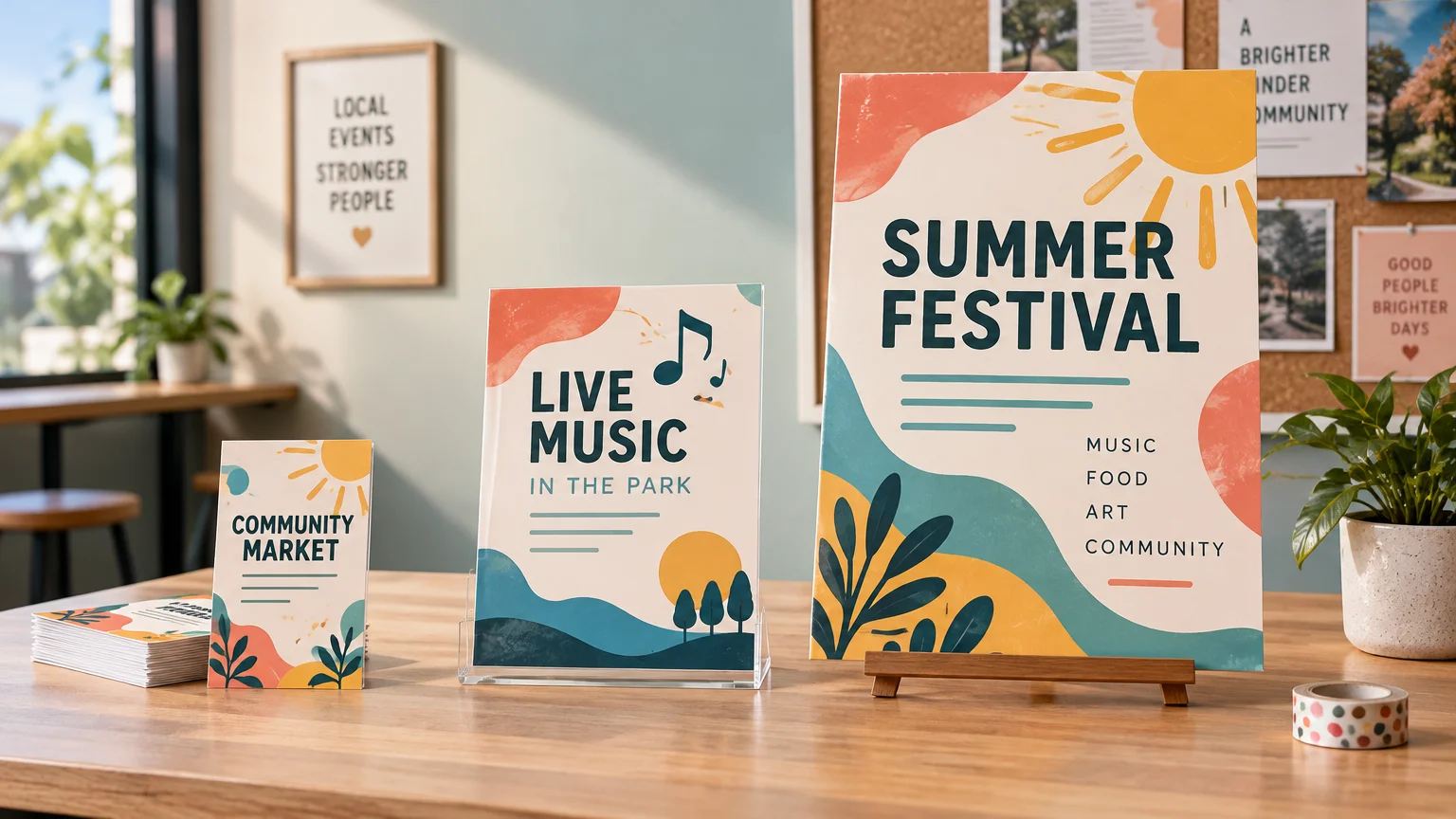
The best all-purpose flyer size for a local promotion is 8.5 × 11 inches. It gives a restaurant, service business, school, creator, or event organizer enough room for a strong headline, useful details, one main image, and a clear response step. It is also widely available from retail printers, including FedEx Office and Staples.
That does not make letter size the automatic winner. Choose 5.5 × 8.5 inches for convenient handouts and counter stacks, 4.25 × 6 inches or smaller when postcard mailing rules drive the project, and 11 × 17 inches when the piece needs to work more like a small poster. The right question is not “Which size holds everything?” It is “Where will someone see this, and how much attention will they give it?”
TL;DR: Match the size to where the flyer will work
- Choose 5.5 × 8.5 inches for handouts, takeaway stacks, bag inserts, and compact counter displays.
- Choose 8.5 × 11 inches for the most flexible option, especially when the flyer may be handed out, posted, or displayed in a window.
- Choose 11 × 17 inches for bulletin boards, storefronts, registration areas, and event signage that must be read from farther away.
- Choose a mailing format only after checking postal dimensions. A design that looks like a postcard does not automatically qualify for postcard pricing.
- Give every size one primary message and one obvious next step. More paper is not permission to add six competing calls to action.
A practical flyer-size comparison
| Flyer size | Best uses | Main advantage | Watch for |
|---|---|---|---|
| 4.25 × 6 inches | Postcard-style promotions, invitations, coupons | Compact and easy to keep | Limited room; postal pricing has exact dimensional and thickness rules |
| 5.5 × 8.5 inches | Handouts, counters, bags, community tables | Portable without feeling tiny | Body text becomes crowded quickly |
| 8.5 × 11 inches | General promotions, bulletin boards, windows, information sheets | Best balance of room, familiarity, and availability | Can feel like an office notice without strong visual hierarchy |
| 11 × 17 inches | Event boards, storefront displays, high-traffic notice areas | Better visibility from several steps away | Awkward as a casual handout and more demanding of image quality |
These formats are not interchangeable versions of one design. A half-letter handout needs aggressive editing. A letter-size flyer needs hierarchy so it does not resemble a memo. An 11 × 17 piece needs larger type and simpler content so it behaves like a poster rather than an enlarged sheet of small text.
Use 5.5 × 8.5 inches for personal, portable handouts
Half-letter flyers are a strong choice when one person will place the piece directly into another person’s hand. Think salon offers, class announcements, restaurant promotions, open-house information, church events, market stalls, and inserts packed with purchases.
The format is large enough for a headline, short explanation, date or offer, image, and contact details. It is also small enough to carry without folding. Staples currently lists 5.5 × 8.5 inches among its flyer options, while FedEx Office offers an 8.5 × 5.5-inch option through its Canva-template route.
I would keep the structure simple: one headline, one supporting image, three short details, and one response method. If the promotion requires a schedule, map, sponsor row, lengthy disclaimer, and several ticket tiers, move up to letter size or send readers to a focused landing page.
Use 8.5 × 11 inches when the flyer has several jobs
Letter size is the safest starting point when you do not yet know whether the finished piece will sit on a counter, appear on a community board, go into a folder, or hang in a window. Both FedEx Office and Staples offer 8.5 × 11-inch flyer printing. FedEx describes this as the standard size for its uploaded-design workflow.
This size has room for a clearer information ladder: promotion first, date or benefit second, practical details third, and the call to action last. A local festival can show its name, date, location, price, and QR code without making every element fight for space. A home-service company can feature one seasonal offer, a short list of included work, and a booking method.
Letter size also exposes weak design decisions. If everything is centered, bold, brightly colored, and equally large, nothing leads the eye. Start with the element a passerby must understand in two seconds. Make that dominant, then let the remaining information step down in size and contrast.
If you are comparing production routes, paper choices, or other custom print products, Printiverse can serve as an additional starting point for exploring print topics. The format decision should still come before the vendor decision: determine where the piece will appear, how it will be distributed, and how much information it genuinely needs.
Use 11 × 17 inches when viewing distance matters
An 11 × 17-inch flyer is better treated as a small poster. It suits shop windows, event entrances, check-in tables, library boards, recreation centers, and other places where the reader may first see it from several feet away. FedEx Office includes 11 × 17 inches in its Canva-template flyer options, although its direct uploaded-design route is listed as 8.5 × 11 inches.
Do not fill the extra space with extra paragraphs. Use it to increase the headline, simplify the message, and make the date, location, or offer easier to spot. If a person must walk directly up to the poster to learn what it advertises, the larger sheet has not done its job.
Image quality matters more as the physical size increases. A photograph that looks acceptable on a phone may appear soft when enlarged. Build the file at the final dimensions and check important images at the resolution requested by the printer.
Let postal rules choose a mailer size before you design
For mailed promotions, size affects more than appearance. The USPS postcard-size guidance says a piece using First-Class Mail postcard pricing must be rectangular, at least 3.5 × 5 inches, no more than 4.25 × 6 inches, and between 0.007 and 0.016 inches thick. A larger “postcard-style” flyer may still be mailable, but it will not qualify for that price merely because it is printed on card stock.
A 5.5 × 8.5-inch piece fits within the published maximum length and height for letter-size mail. An unfolded 8.5 × 11-inch piece exceeds the 6.125-inch maximum letter height and enters the larger shape category. Dimensions are only part of mail eligibility, so confirm thickness, weight, aspect ratio, addressing, and layout before ordering a large run.
Neighborhood saturation campaigns add another set of choices. USPS says Every Door Direct Mail Retail pieces must qualify as flats, weigh no more than 3.3 ounces, and exceed at least one stated dimensional threshold. Retail mailings can contain 200 to 5,000 pieces per day per ZIP Code. Before committing to a format, compare EDDM and addressed direct mail and decide whether broad geographic coverage or recipient-level targeting matters more.
Protect the edges, margins, and QR code
The final trim size is not necessarily the complete file size. Artwork intended to run to the edge normally extends beyond the trim into a bleed area, while important text, logos, and faces stay inside a safe zone. Canva’s bleed and margin guidance lists a default bleed of 0.125 inch on every side for trimmed products, while warning that printer requirements can differ.
Ordering workflows can also change the result. FedEx Office says uploaded 8.5 × 11-inch flyer files print with a small margin, while its Canva-template workflow permits full bleed. Staples says same-day pickup flyers have a white border. Check the specific product configuration instead of assuming that every flyer option supports edge-to-edge color.
For fewer production surprises, use the printer’s template and follow a consistent print-ready file preparation process. Check final dimensions, bleed, image quality, color settings, and safe margins before exporting.
A QR code also needs breathing room. DENSO WAVE, the company behind the QR Code, specifies a clear quiet zone four modules wide on every side. It notes that the physical footprint varies with the encoded data, error correction, module size, and printer resolution. DENSO WAVE’s QR Code guidance also explains that reducing encoded characters can reduce the required symbol size. Use a short destination URL, preserve the clear border, print a sample at actual size, and test it with multiple phones before producing the full quantity.
A worked choice for a local event
Imagine a neighborhood food-and-music event with a date, location, admission note, three featured attractions, and a ticket QR code. I would use 5.5 × 8.5-inch flyers for handouts at cafés and checkout counters, then adapt the same visual system to 11 × 17-inch posters for windows and bulletin boards.
The handout would contain the event name, date, location, one energetic image, three short attraction labels, and the QR code. The poster would use the same colors and image but make the event name, date, and location much larger. That is more effective than forcing one layout to serve both close reading and distance viewing.
Make the final size decision with this checklist
- Where will people first encounter the flyer: in a hand, on a counter, through the mail, or on a wall?
- How far away will they be when the headline needs to register?
- Does the piece have one primary action, such as visit, scan, call, book, or attend?
- Can the smallest important text be read comfortably on a printed proof?
- Does the selected printer support the size, stock, finish, bleed, quantity, and turnaround you need?
- If mailing it, has the format been checked against the applicable USPS category before printing?
- Has the QR code been tested at final printed size with its quiet zone intact?
For most local promotions, start with 8.5 × 11 inches and make yourself justify moving away from it. Go smaller when portability and personal distribution matter more than detail. Go larger when viewing distance matters more than convenience. Then print one actual-size proof, place it where the audience will see it, and check whether the headline, date, offer, and next step are obvious without explanation.
References
- Custom Flyer Printing | Fast Turnaround & Pickup | FedEx Office
- Flyers | Custom Business Flyers | Staples®
- Sizes for Postcards | Postal Explorer
- What Are You Mailing? Domestic | Postal Explorer
- Every Door Direct Mail (EDDM) – Targeted Mail Marketing | USPS
- Every Door Direct Mail | USPS
- Use margins, bleed, rulers, and crop marks – Canva Help Center
- Point for determining the code area | QRcode.com | DENSO WAVE